
Download Easy Print Calendar – free Windows calendar creator tool
Easy Print Calendar is a lightweight, free productivity program designed specifically for Windows users who need a reliable way to generate printable calendars. Developed by Bradtrupp, this software belongs to the Calendars sub‑category of productivity tools and focuses on giving users the ability to customize monthly, quarterly, and yearly calendar layouts with just a few clicks. The current version, 4.00, was last updated on March 16 2006, and it continues to run smoothly on legacy operating systems such as Windows 98 and earlier. Despite its age, Easy Print Calendar remains a popular choice in the United States and United Kingdom, boasting over 22 000 installations since its introduction in 2006 and still attracting fresh downloads each week. Because the program is only available in English, it targets a broad audience of home users, small‑business owners, and educators who need a simple yet powerful calendar‑creation solution without the cost of premium software. Its modest size means it consumes very little disk space, making it ideal for older machines with limited storage. In the sections below we’ll explore the key features, walk through the installation process, discuss system compatibility, weigh the pros and cons, and answer the most common questions about this enduring Windows utility.
Key Features of Easy Print Calendar
- Customizable Layouts: Choose from monthly, quarterly, or yearly views and adjust page orientation, margins, and font styles to match personal or corporate branding.
- Holiday Integration: Pre‑loaded public holidays for the United States and United Kingdom; users can also import custom holiday files.
- Print‑Ready Output: Generates high‑resolution PDFs and directly printable formats that work flawlessly with any standard printer.
- Lightweight Engine: The installer is under 2 MB, ensuring quick download times and minimal impact on system resources.
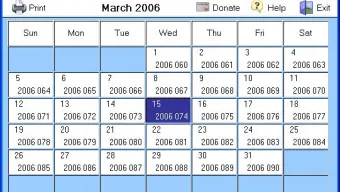
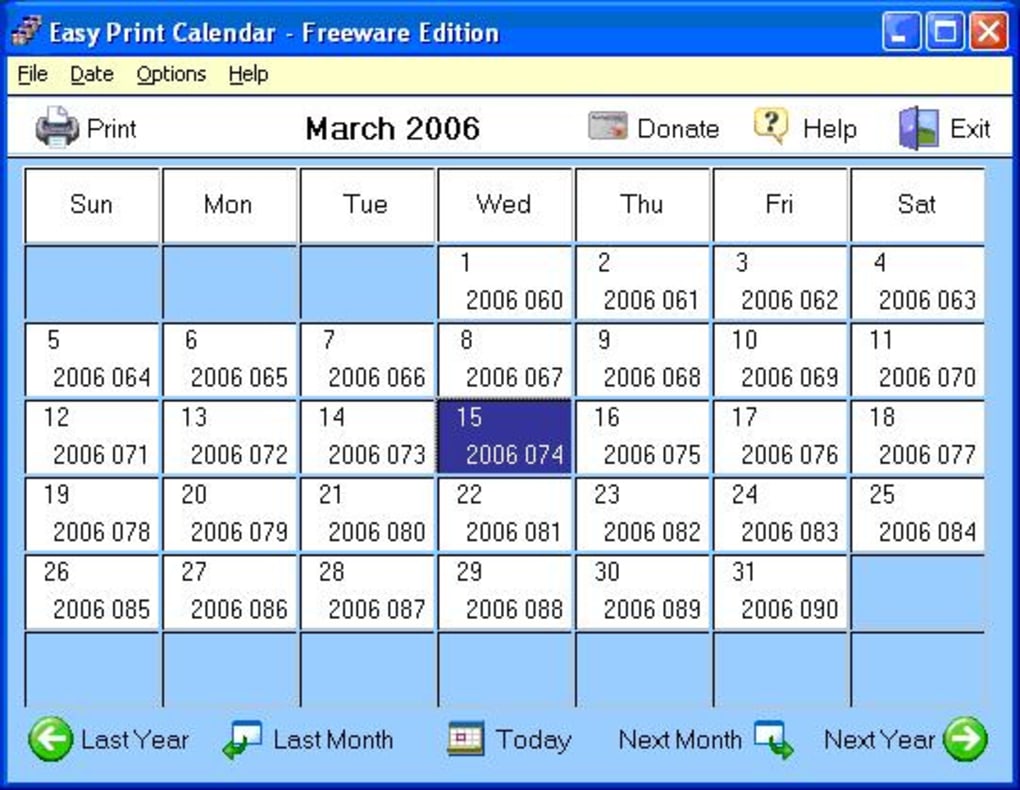
- Simple Interface: An intuitive, Windows‑classic UI that requires virtually no learning curve, perfect for users of all ages.
- Multi‑Language Support (English Only): While the UI is English‑only, date and month names can be edited manually for personal localization.
- Export Options: Save calendars as PDF, BMP, or plain‑text files for easy sharing via email or cloud storage.
- Free Updates: The developer provides occasional patches and bug fixes at no cost.
Installation, Usage Guide & System Compatibility
Installing Easy Print Calendar is straightforward, reflecting its design philosophy of simplicity. Follow these steps to get the program up and running on any Windows 98‑compatible PC:
- Download the installer: Click the “Download” button on the official page. The file size is approximately 1.9 MB, making it ideal for slower internet connections.
- Run the setup: Double‑click the downloaded
.exefile. The installer will request administrative rights; grant them to proceed. - Accept the license agreement: The license is a standard freeware agreement that permits personal and commercial use without charge.
- Select installation folder: By default the program installs to
C:\Program Files\EasyPrintCalendar, but you can choose any directory with write permissions. - Complete the installation: Click “Install” and wait for the progress bar to finish. The process typically takes under a minute on legacy hardware.
- Launch the application: An icon appears on the desktop and in the Start menu. Click the icon to open the main window.
Once launched, the user interface presents a clean toolbar with options for “New Calendar,” “Load Template,” and “Print/Export.” To create a calendar, select the desired period (month, quarter, or year), pick a template, and adjust font or color settings as needed. The preview pane updates in real time, allowing you to see exactly how the printed page will look. When satisfied, choose “Print” to send the document directly to a connected printer or “Export as PDF” to save a digital copy.
Regarding compatibility, Easy Print Calendar officially supports Windows 98 and earlier versions, which includes Windows 95, Windows NT 4.0, and Windows ME. The program runs natively on 32‑bit architectures and does not require .NET Framework or additional runtime libraries. While it can also be launched on newer Windows versions (e.g., Windows 10/11) in compatibility mode, users may encounter minor UI scaling issues due to the legacy design. Because the software is written in classic Win32 API, it does not rely on modern GPU drivers, making it safe for older machines with limited graphics capabilities.
Pros and Cons
Pros
- Completely free – no hidden fees or trial limitations.
- Extremely lightweight; ideal for computers with minimal storage.
- Simple, no‑learning‑curve interface suitable for all ages.
- Print‑ready PDFs generated in seconds.
- Built‑in holiday calendars for the US and UK.
- Works on very old Windows operating systems.
Cons
- No native support for Windows 10/11 UI scaling; may appear small on high‑resolution displays.
- Limited to English language UI, which restricts non‑English speakers.
- Last major update was in 2006; no modern features like cloud sync or mobile apps.
- No built‑in template gallery beyond the basic layouts.
- Does not support direct integration with Outlook or Google Calendar.
Final Verdict, FAQ & Call‑to‑Action
Easy Print Calendar remains a solid, no‑frills solution for anyone who needs to produce printable calendars without paying for a subscription or dealing with bloated software. Its lightweight nature, straightforward interface, and free price tag make it especially attractive for users of legacy Windows machines or for educational environments where budget constraints are a concern. While the lack of modern features such as cloud syncing or multi‑language support may deter power users, the core functionality—customizable, printable calendars—delivers exactly what it promises. If you’re looking for a quick, reliable way to generate a calendar for personal planning, classroom scheduling, or small‑business marketing, Easy Print Calendar is worth a download.
Frequently Asked Questions
Is Easy Print Calendar really free?
Yes, the software is 100 % free for both personal and commercial use. There are no hidden fees, trial periods, or mandatory registrations.
Can I use the program on Windows 10 or Windows 11?
The official support is limited to Windows 98 and earlier. However, you can run it on newer Windows versions using Compatibility Mode, though the UI may appear small on high‑DPI screens.
What file formats does Easy Print Calendar export to?
The program can export calendars as PDF, BMP image files, or plain‑text (.txt) files, giving flexibility for both printing and digital sharing.
Is there a way to add custom holidays?
Yes. Within the “Holiday” menu you can import a custom CSV file containing dates and descriptions, allowing you to tailor the calendar to your region or organization.
How much disk space does Easy Print Calendar require?
The entire installation occupies less than 2 MB, making it an excellent choice for older PCs with limited storage.
Ready to streamline your planning? Free – USD download Easy Print Calendar today and start creating professional‑looking calendars in minutes.
Easy Print Calendar delivers exactly what its name promises—a quick, free, and reliable way to generate printable calendars on Windows. While it lacks modern cloud features, its lightweight design and straightforward interface make it a timeless utility for anyone still using legacy Windows systems.







